Install Claude Desktop
Download it from claude.ai and sign in.

CRM One360 includes an MCP server (Model Context Protocol), the open standard that lets AI assistants work with your programs. With Claude Desktop on the same computer, Claude reads your CRM One360 data and answers you. If an administrator allows it, it can also create and update records and send emails for you.
Download it from claude.ai and sign in.
Drag C:\CRMOne360\mcp\crmone360.mcpb into Settings → Extensions.
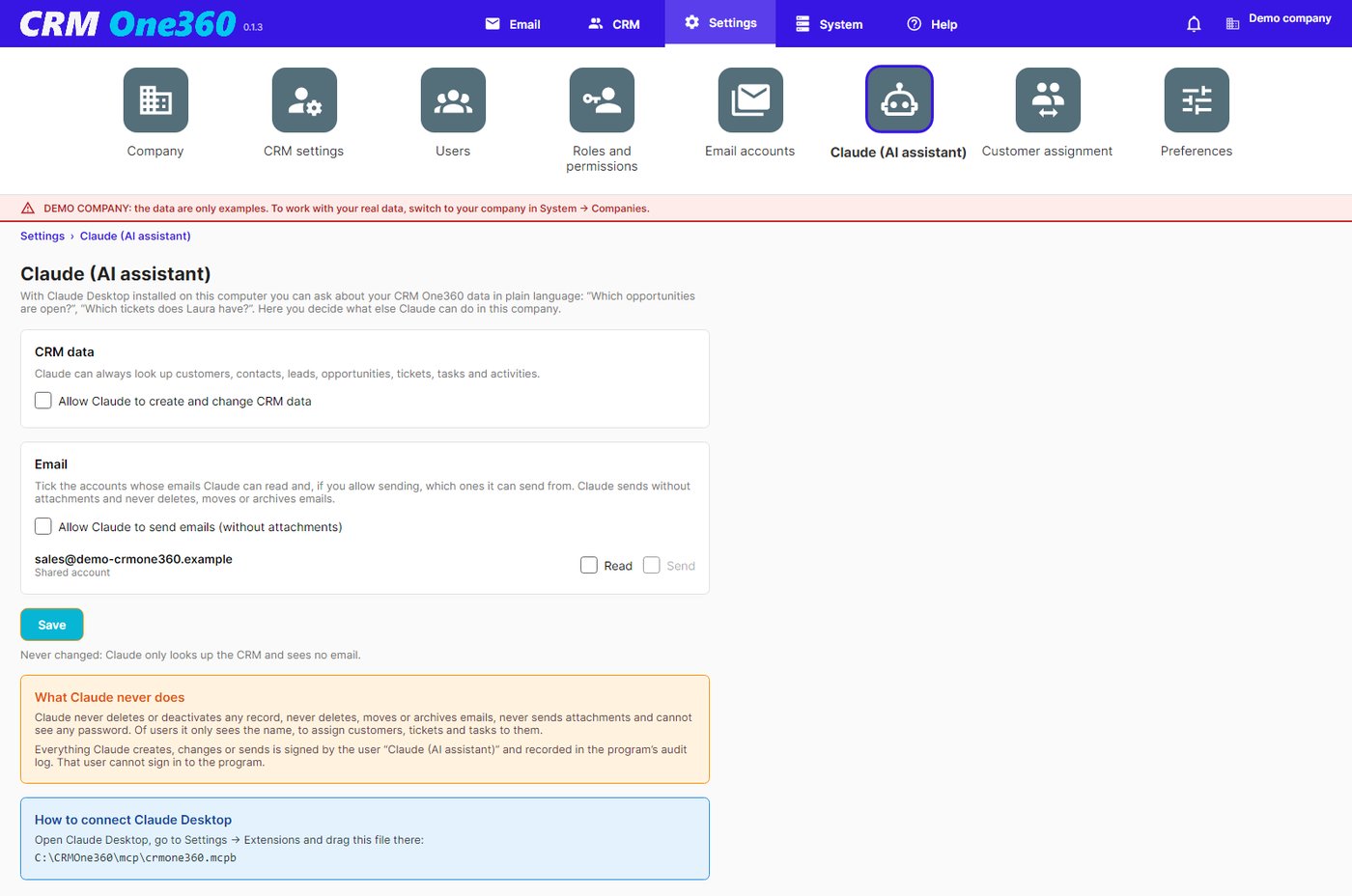
In CRM One360, Settings → Claude: read only, create and change records, read or send email.
«Which opportunities close this month?» «Summarise everything about this customer.»